
 SiteSync PM
Launches Nov 1Available now
Project management for general and specialty contractors
SiteSync PM
Launches Nov 1Available now
Project management for general and specialty contractors
One place for the job. A login for everyone on it.
Bring RFIs, submittals, drawings, daily logs, and punch lists into one project. Give each company access to the records it’s part of.
- Launches November 1, 2026Available nowWeb, iPhone, and Android
- From $499 per monthUnlimited users, no per-seat fees
- Works without signalField capture saves on the phone and sends later
Start with what needs you.
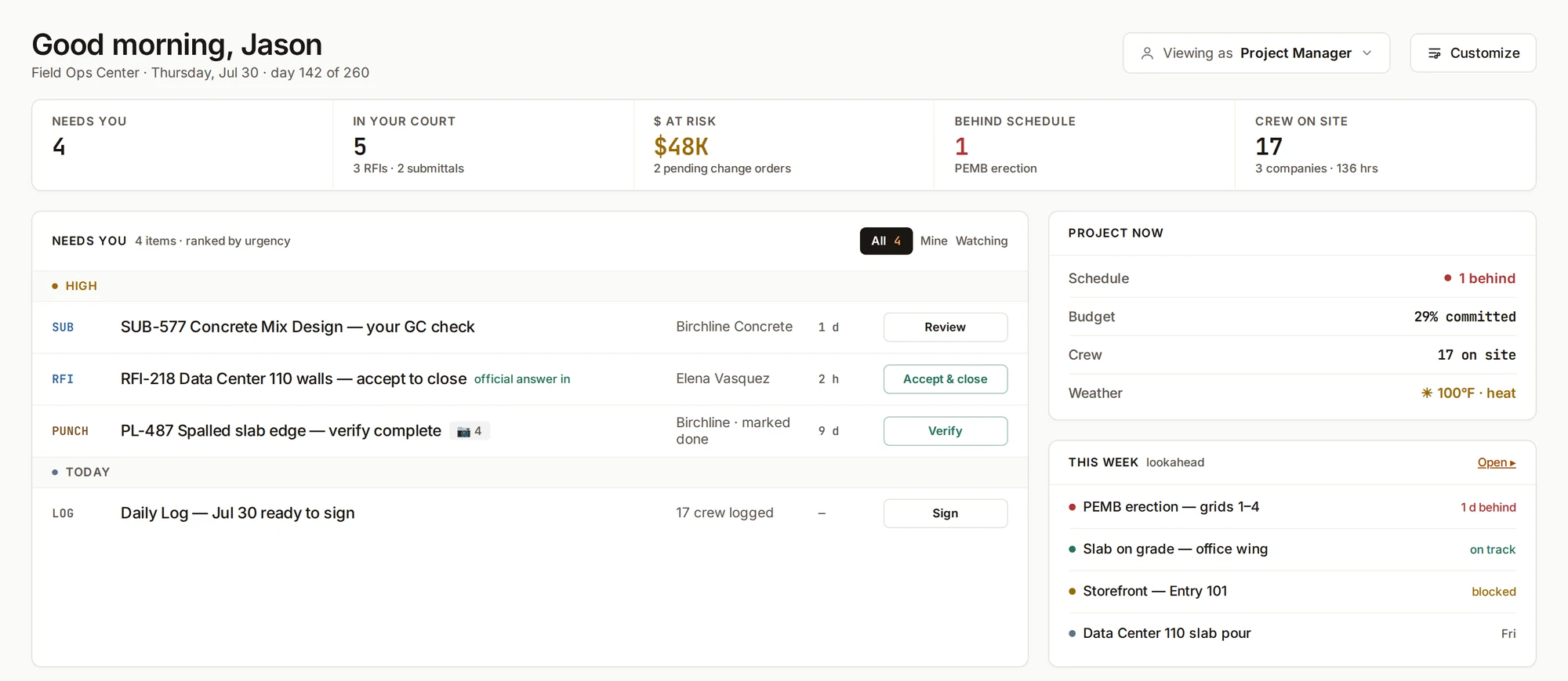
- Most urgent first. Each item comes with the one button that moves it: review, accept, verify, sign.
- A layout for your role. Company owner, project manager, superintendent, and office each get a default layout. Rearrange cards to suit your work.
- One search. Find records, sheets, people, and spec sections.
Every status change writes an activity entry and an audit line. Email goes out once, when an RFI closes, a submittal is distributed, or a punch item is verified. Watchers never trigger email.
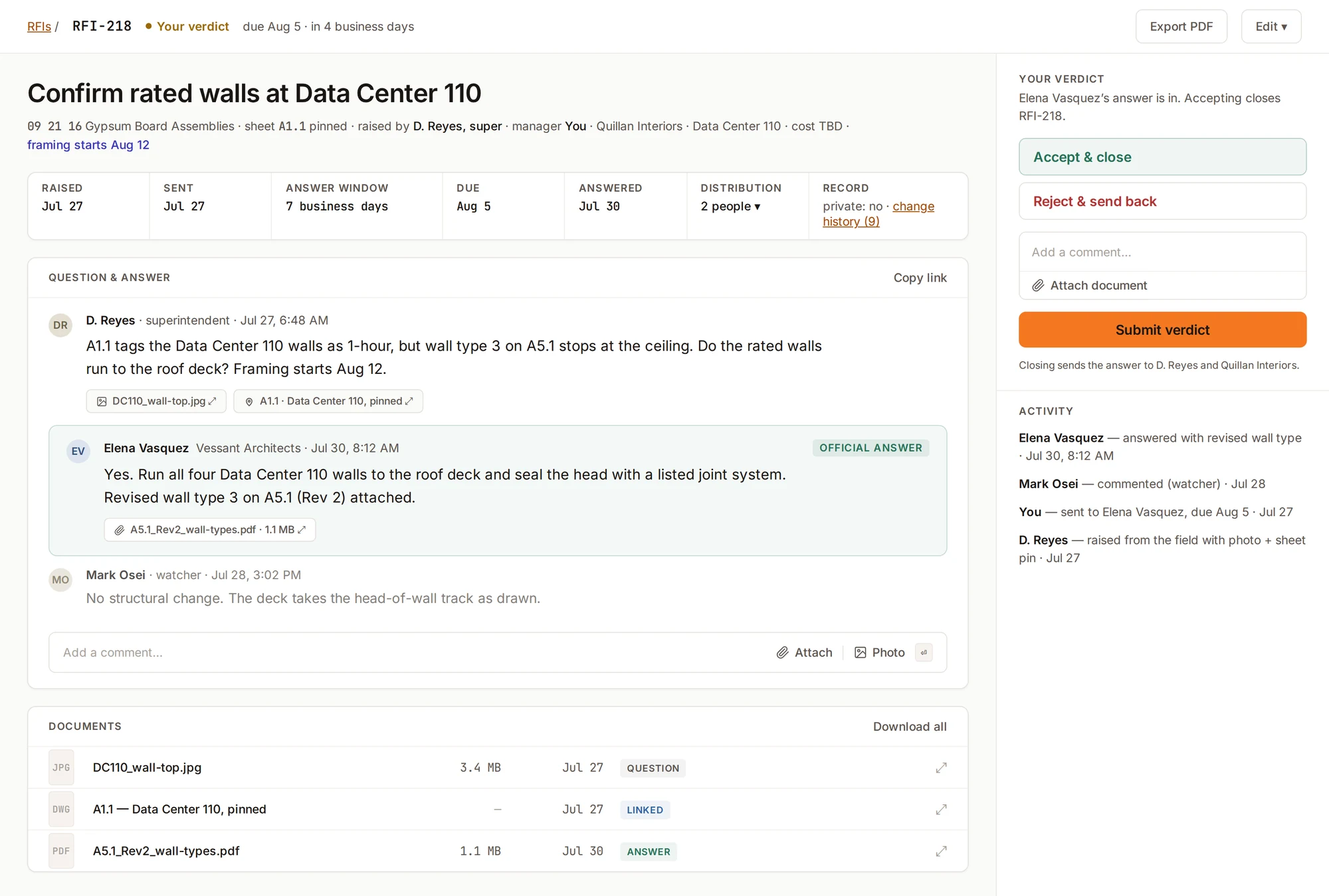
Every RFI, assigned and timed.
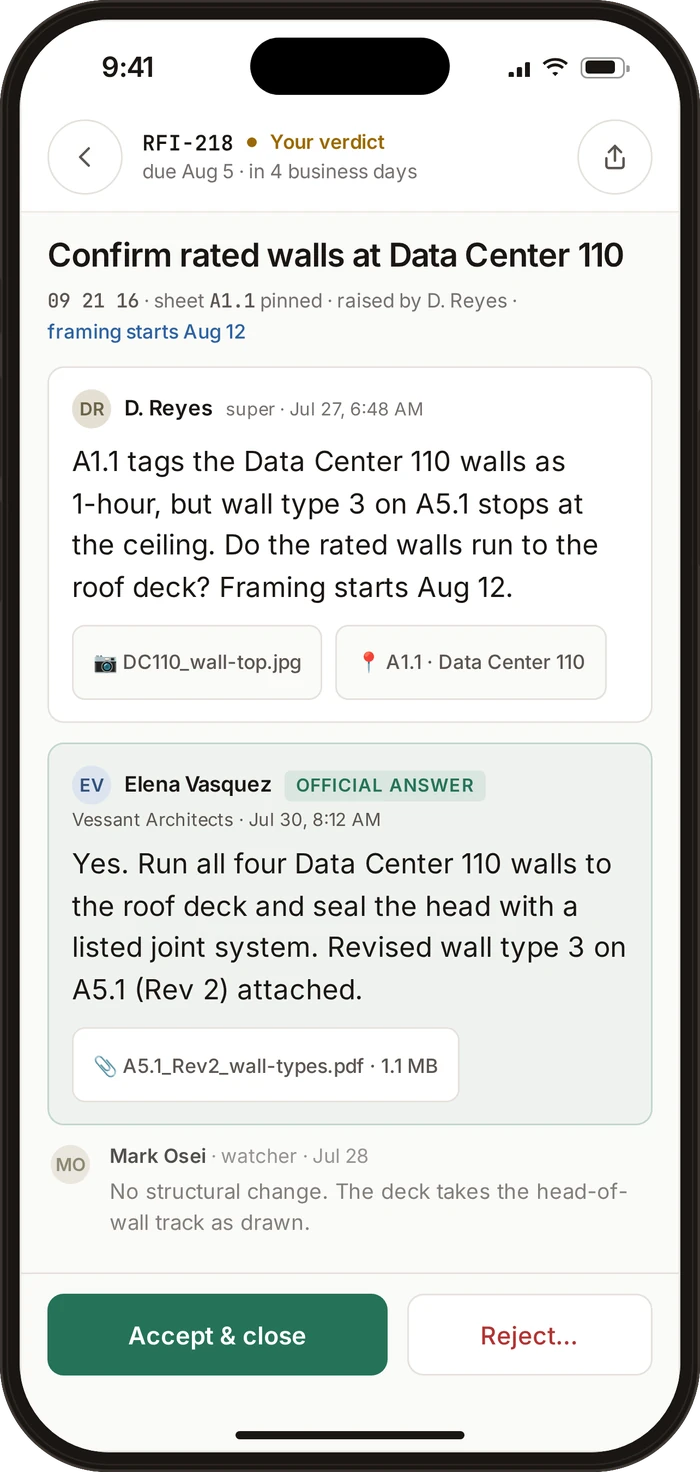
- Three required fields. The question, who answers, and the due date. Add a photo or sheet pin when it helps.
- Seven business days to answer, by default. Clocks skip weekends and project holidays. Time held is recorded for each party.
- Accept and close. The answer goes to the distribution list once, including the field. Rejections need a reason and keep the RFI number.
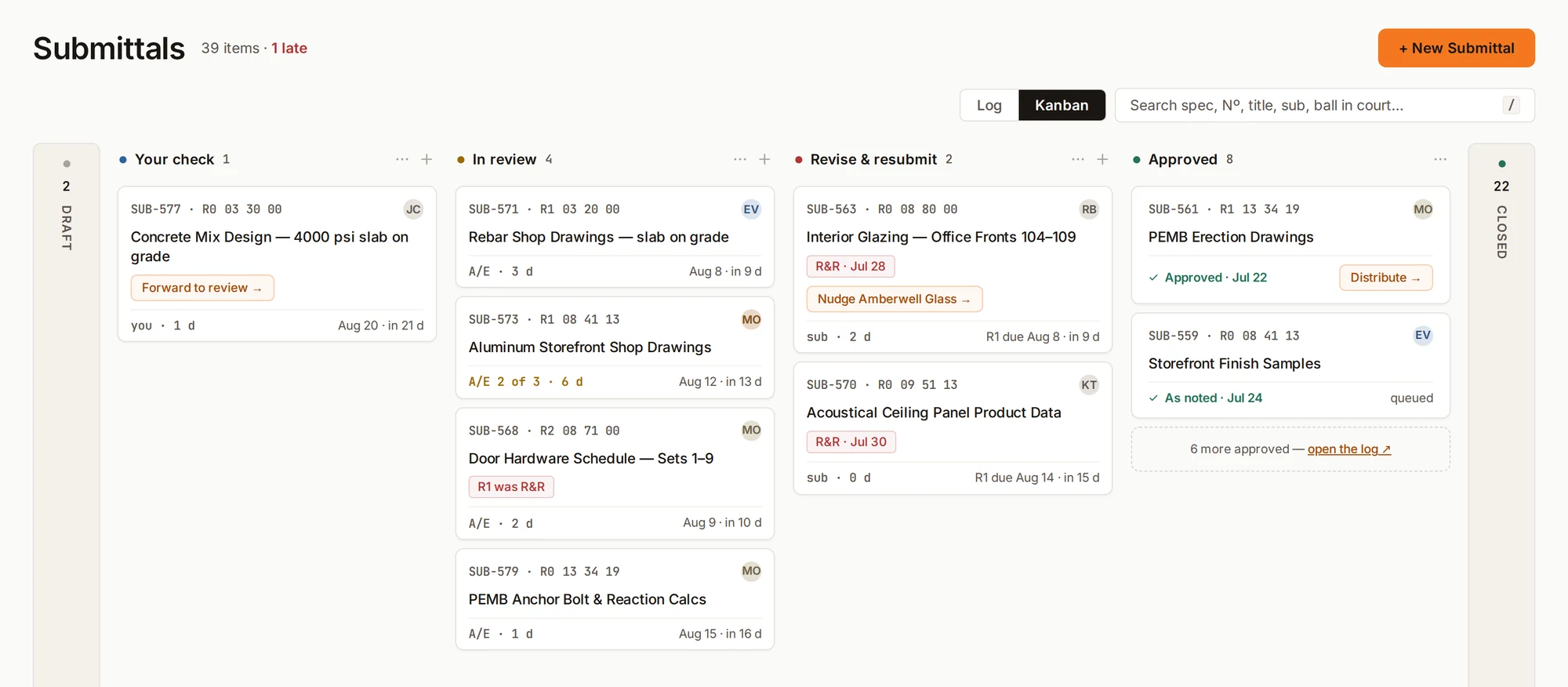
Track every submittal to a decision.
- One log, one board. Group by spec section, package, status, or who has the ball.
- Four review outcomes. Approved, approved as noted, revise and resubmit, or rejected. The last two need a written reason.
- Subs submit through their own portal. Resubmittals return to your check first. Approved packages go out once, stamped, to the distribution list.
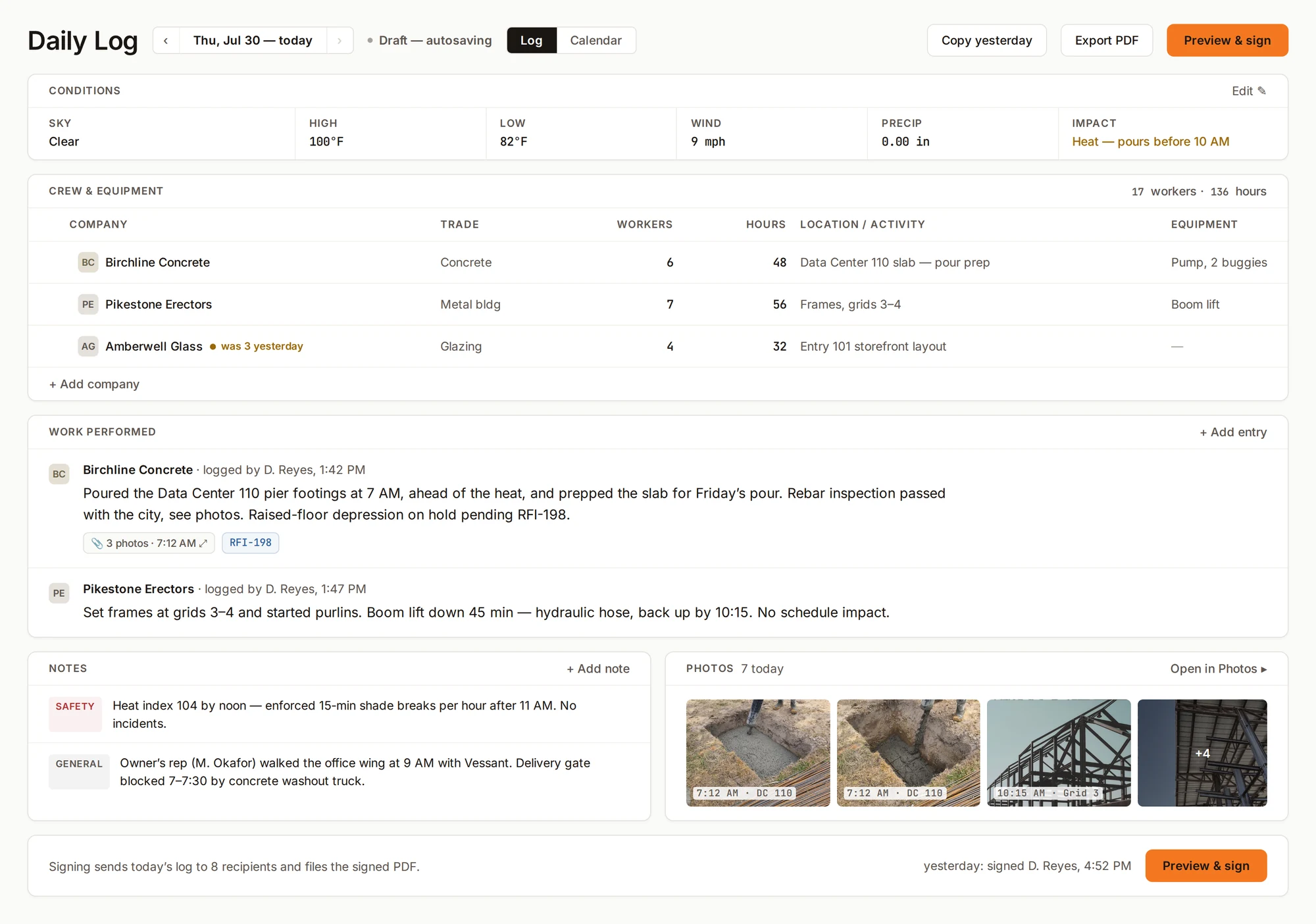
Put the day on record.
- Weather, filled in. Pulled from the job address at 6 AM and 1 PM. Correct it when needed.
- Crews carry over from yesterday. Work, notes, and photos stay in one form. The calendar flags missed and unsigned days.
- Sign and send. The log goes out as a PDF. Later edits are tracked and re-sent; signed versions are kept. Export a month as one PDF.
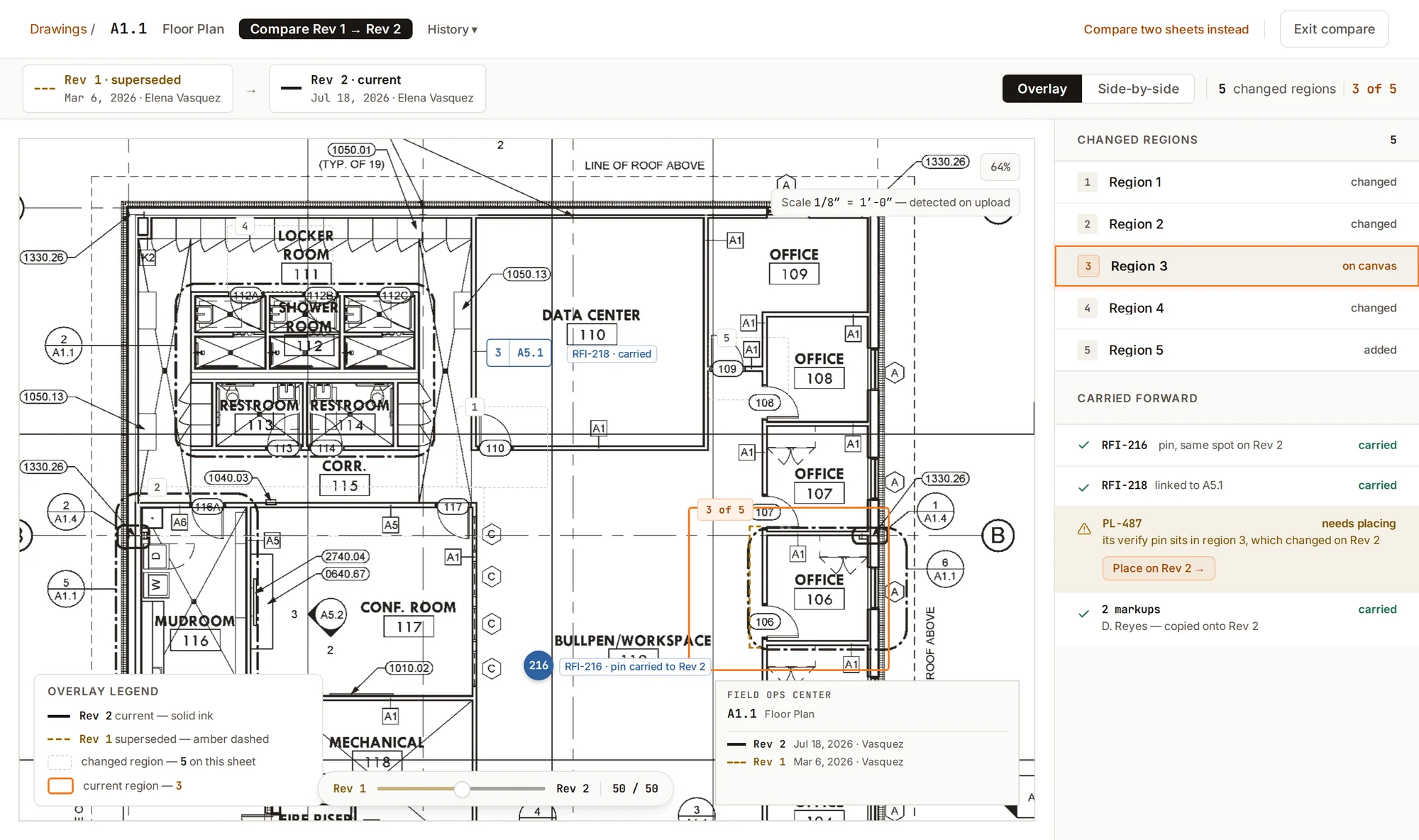
The current set. Every revision.
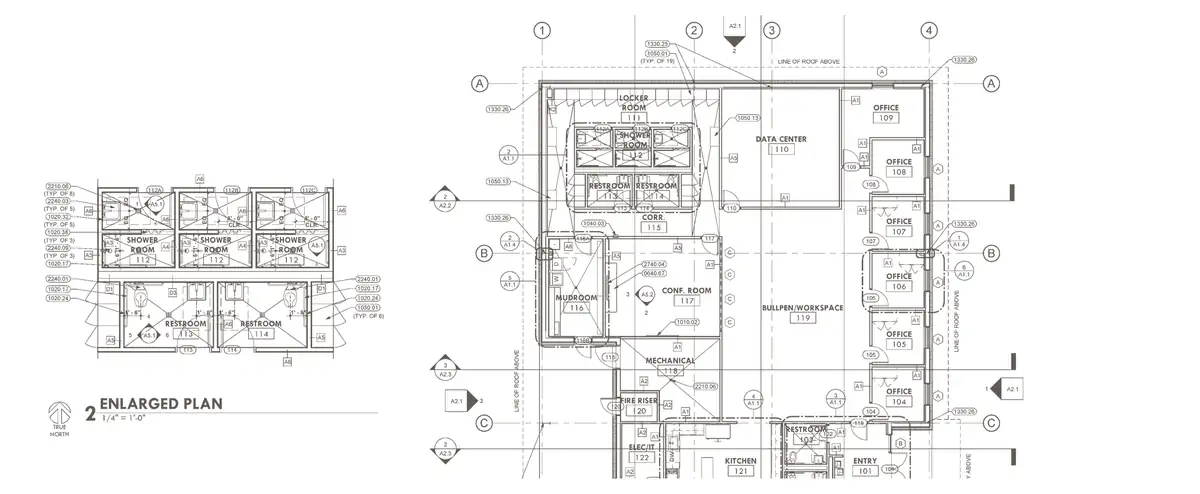
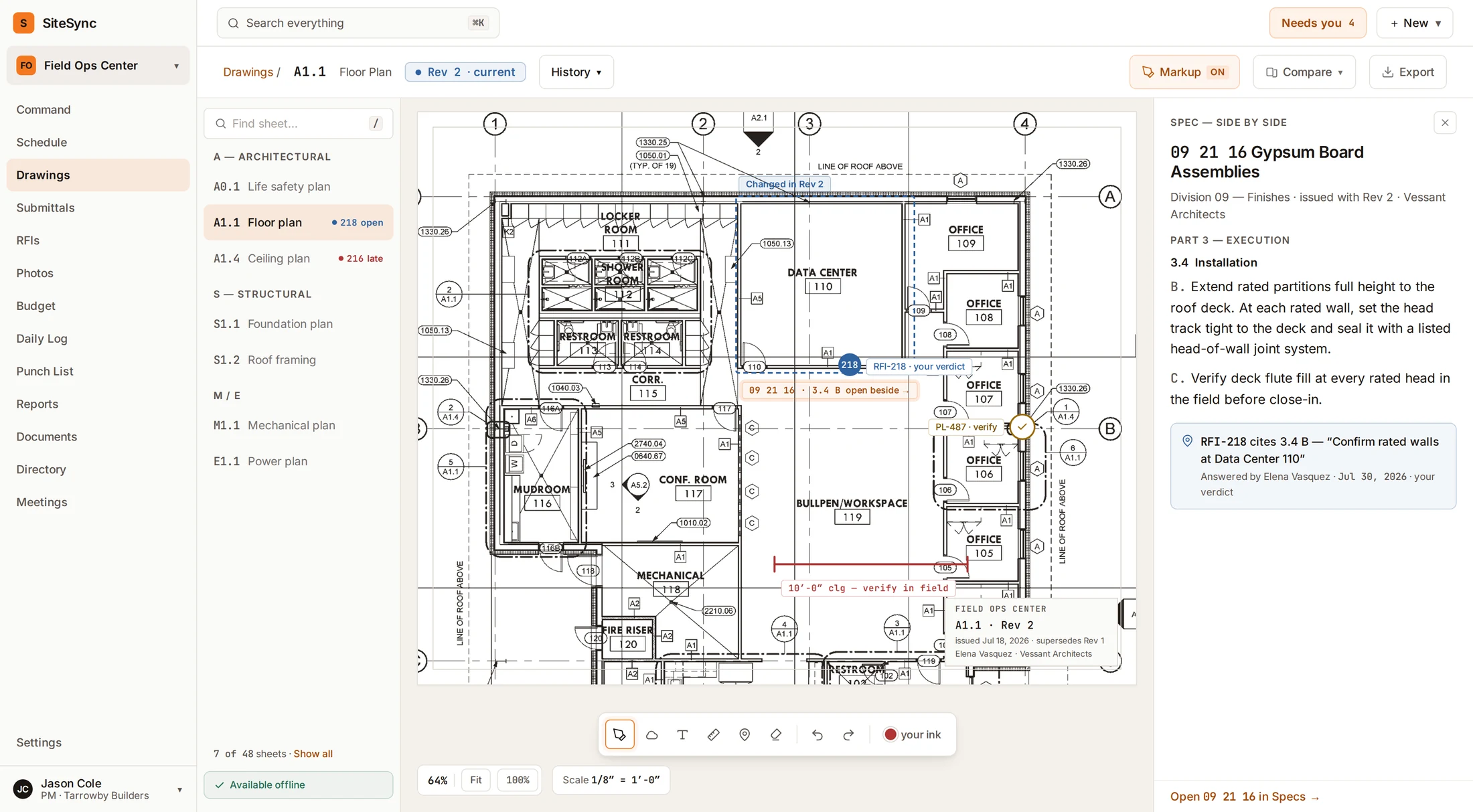
- Read on upload. AI classifies sheets by discipline and reads their numbers, titles, and scale. Find any sheet by number or title and start measuring; correct any scale in one click.
- Revisions stay together. They stack under one sheet. Compare them region by region; old sheets open stamped OUTDATED, with the current sheet one tap away.
- The record follows the sheet. Pins and markups carry forward; anything that can’t is listed. Markups save as stamped copies, never over the issued sheet.
- Sheets and specs together. Open the spec section an RFI cites, side by side with the sheet. Save sheets to your phone for the field.
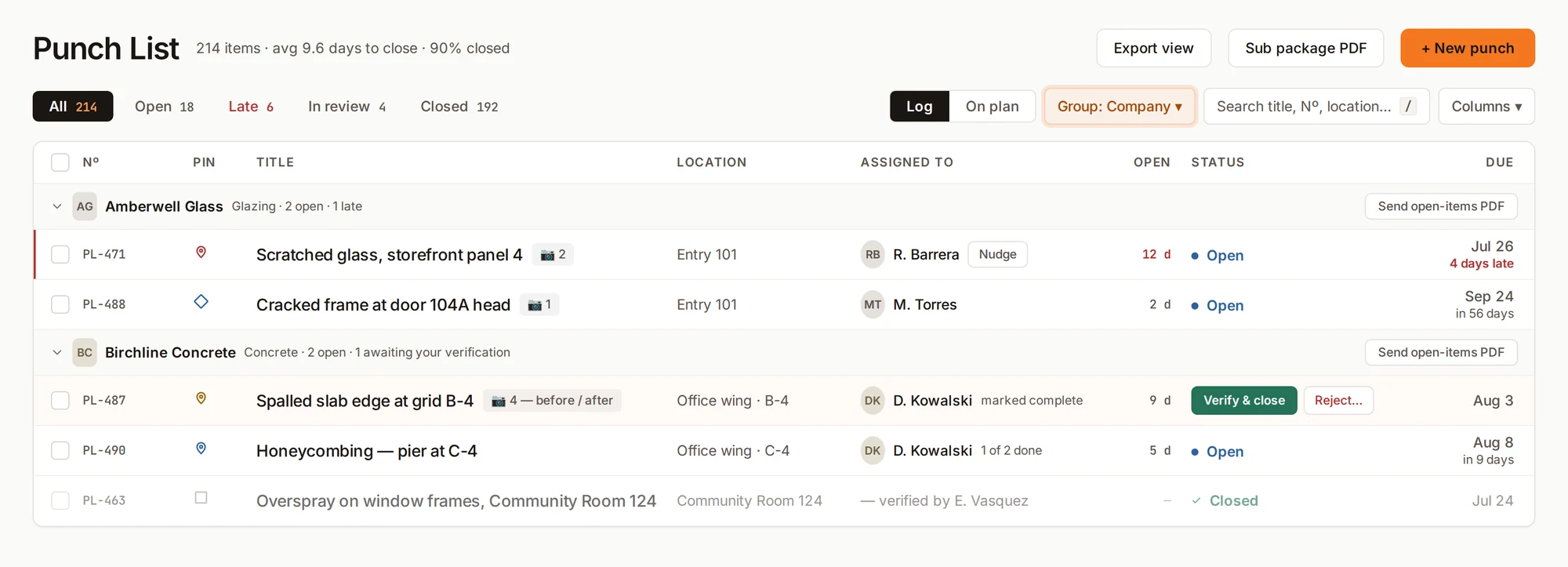
Walk it, pin it, verify it.
- Start from the camera. Take the photo, drop the pin on the plan, and pick the company that owns the scope.
- Complete isn’t closed. Subs mark work complete with photos. Only the named verifier closes the item, and closed items stay closed.
- Rejections keep the history. A rejected item goes back with a reason and the same number. The due date stands.
Also in every project.
Schedule
Gantt, baseline, critical path, and a three-week lookahead. Import from Microsoft Project or Primavera P6.
Photos
Photos are stamped with capture time and filed by location. Browse by day, week, month, or year.
Meetings
Agendas fill from open items. Type minutes, turn actions into records, and sync with Google Calendar.
Budget
Track original budget, approved changes, committed, actual, and forecast by cost code. Budget and change orders stay at the desk, not in the field app.
Reports
Weekly owner updates with only the sections you choose to share. Owners open them without an account.
Documents
Folders, versions, file access, and links to project records.
Directory
Every company and person, one tap to call. Field crews can join with a phone number.
The right access for each role.
Each company sees only the records it’s part of; each person sees only what their role allows. Architects and engineers answer in the same record. Share selected updates with owners while keeping internal notes and subcontractor costs private.

Built for the field.
The iPhone and Android apps are made for gloves, bright sun, and dead zones.
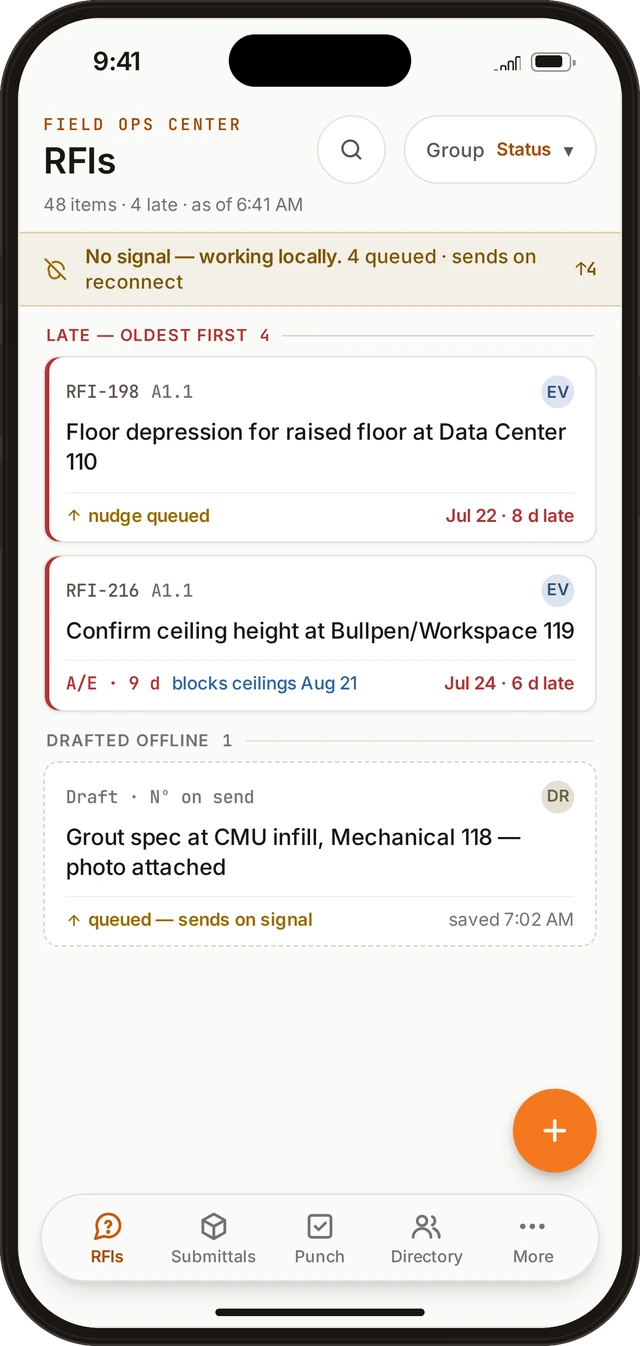
Works without signal
Daily logs, photos, punch items, and RFI drafts save on the phone and send when you reconnect, with a receipt per item. If two people act on the same item offline, the first to sync sets its status. Everyone’s photos and notes still land.
Five tabs, no hunting
RFIs, submittals, punch, directory, and everything else under More, in the same place on every screen.
Sized for gloves
Big tap targets, one main button per screen, and support for high-contrast mode in bright sun.
Set up a project in three steps.
- 1Upload your drawing set.Start with the plans for the job.
- 2Bring your schedule and your people.Import your schedule and invite everyone working on the project.
- 3Run the day from Command.Open the next actions for your role.